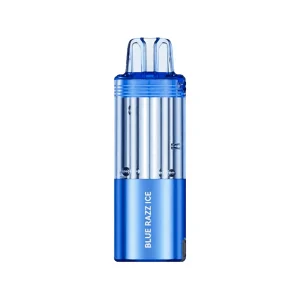
The FOGER Switch Pro 30K Pod series page collects 37 supplied design reference images. This guide explains how to browse those images, identify the intended model, and check relevant product information before ordering.
Explore the Pod Design References
Visit the FOGER Switch Pro 30K Pod gallery to compare the supplied images and captions in one place. The gallery helps visitors browse visual appearances without navigating between separate image files.
Reference images should not be used as the sole source for technical specifications, compatibility or package contents. A similar appearance does not prove that two products or components are interchangeable.
Check Model and Compatibility Information
Start by confirming the complete model name. If you need to determine whether a component fits a particular device, look for explicit compatibility information in the product documentation. Do not infer compatibility from color, shape or a gallery caption.
Before Placing an Order
- Confirm that the product page names the FOGER Switch Pro 30K Pod model.
- Review the selected design in the purchase interface.
- Verify package contents or compatibility details that matter to you.
- Check the cart for the intended design and quantity.
- Review the checkout summary before submitting an order.
Open the Product Information
Continue to the FOGER Switch Pro 30K Pod product page to review the current purchase interface and listed information. You can also browse the FOGERVAPE shop.
Frequently Asked Questions
How many reference images are in the gallery?
The current gallery contains 37 reference images.
Do the images establish compatibility?
No. Check the product information for explicit compatibility details.
Where can I check the selected design?
Review the selection on the product page and confirm it appears correctly in the cart.
EXPLORE THE COLLECTIONExplore FOGER Models