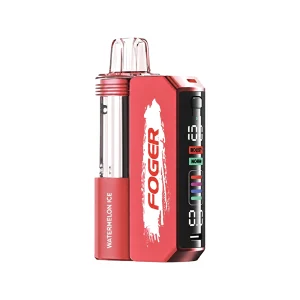
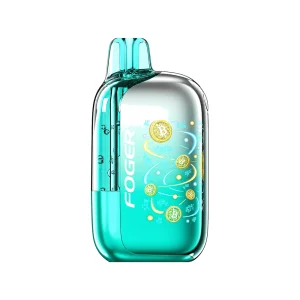
FOGER vape battery and charging guide. FOGER devices do not all use the same battery arrangement. The Switch Pro 30K combines a rechargeable pod with a magnetic charging dock, while the Bit 35K uses a rechargeable battery built into its all-in-one body. Understanding these differences helps you identify the correct charging method and avoid mixing incompatible components.
FOGER Battery Specifications by Model
| Model | Published Battery Specification | Charging Format |
|---|---|---|
| Switch Pro 30K (5% version) | 200mAh pod + 850mAh charging dock | Magnetic pod-and-dock system; Type-C port on charging device |
| Switch Pro Replacement Pod | 200mAh | Requires compatible Switch Pro charging device |
| Bit 35K | 850mAh | Built-in battery with Type-C charging port |
These specifications come from the manufacturer’s published listings for the indicated versions. Do not assume every FOGER version or separately sold charging device has identical specifications.
How Does the FOGER Switch Pro Charging System Work?
The Switch Pro is modular. Its rechargeable pod pairs with a compatible magnetized charging dock, which provides additional battery capacity. The manufacturer describes the pod as having a 200mAh battery and its listed 5% kit as using an 850mAh dock.
The rechargeable pod and the external dock are separate components. Buying a replacement Pod Only package does not mean a charging dock is included.
See the Switch Pro Pod Compatibility Guide for package and compatibility details.
How Is the FOGER Bit 35K Different?
The Bit 35K is an all-in-one device. Its manufacturer listing specifies an 850mAh rechargeable battery and a Type-C charging port. It does not use the detachable Switch Pro pod-and-dock system.
Read the Bit 35K model guide for model identification and design references.
Understanding the Battery Display
Both the Switch Pro and Bit 35K manufacturer listings describe a screen with battery-level information. The battery indicator refers to the device’s reported battery status; it is not a guarantee of a fixed amount of use remaining.
On the Switch Pro, the modular system means the pod and charging dock are distinct components. Refer to the instructions for the exact version to interpret any indicator or charging status.
FOGER Battery Not Charging: What Should You Check?
If a device is not charging, first stop using it until you can determine whether it is safe to handle. Confirm the model, check the instructions supplied with it and inspect the charging port, dock and visible connectors for damage or moisture.
Do not force incompatible parts together, open the battery enclosure or attempt electrical repairs. If there is unusual heat, swelling, leaking or visible damage, disconnect charging if safe and contact the manufacturer or seller for guidance.
A pod without a compatible Switch Pro dock cannot be assumed to recharge from an unrelated accessory.
Charging and Battery Safety
- Use charging accessories compatible with the exact device version and follow the supplied manufacturer instructions.
- Keep charging contacts and ports dry.
- Avoid exposing the device to extreme heat or direct sunlight.
- Do not leave a damaged or unusually hot device connected to power.
- Do not puncture, dismantle or modify the lithium battery.
- Keep devices and batteries away from children and pets.
- Follow local electronic-waste and battery disposal rules.
Frequently Asked Questions
Does a FOGER Switch Pro Pod include the battery dock?
The manufacturer’s Pod Only listing says the charging device is not included. The compatible charging dock is a separate component of the Switch Pro system.
Can I charge a Switch Pro Pod without its compatible dock?
The manufacturer specifies that the replacement pod requires the Switch Pro charging device for recharging. Do not substitute an undocumented charging method.
Does the Bit 35K use the Switch Pro battery?
No. The Bit 35K is an all-in-one device with its own rechargeable battery and Type-C port.
Why might a FOGER battery appear to lose charge quickly?
Battery behavior can vary with usage, operating mode, battery condition and temperature. A display reading alone does not establish the cause. For persistent problems, refer to the model-specific instructions and contact the manufacturer or seller.
Related FOGER Guides
Explore the Switch Pro 30K model guide, replacement Pod gallery, device usage guide, and FOGER Flavors collection.
Manufacturer Sources
FOGER Switch Pro 30K product specifications
FOGER Switch Pro replacement Pod specifications
FOGER Bit 35K product specifications
This article is informational and does not replace the safety instructions supplied with the specific device. Nicotine is addictive. These products are for adults.
EXPLORE FOGER
Explore Related FOGER Products
Explore the FOGER models discussed in this guide. Review the product page for current options and details.