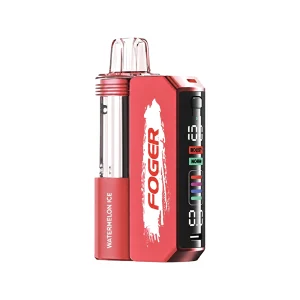
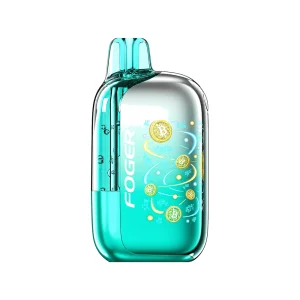
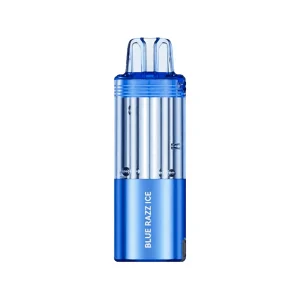
FOGER device collections can contain several model names and a wide range of visual designs. When identifying a device, start with the exact model name rather than relying on its color, artwork or an image caption. This guide explains how to check model information and navigate the available FOGER reference galleries.
1. Find the Complete Model Name
Look for the product name on the original packaging, product listing or other official product information. Keep the full name together when comparing products. A shortened description may omit distinctions that matter when checking the model or its components.
The FOGERVAPE reference collection currently includes FOGER Switch Pro 30K, FOGER Bit 35K and FOGER Switch Pro 30K Pod. These names identify three separate model pages and should not be treated as interchangeable.
2. Use the Correct Model Gallery
Once you know the model name, open the corresponding gallery to examine its visual design references.
- FOGER Switch Pro 30K gallery — 28 reference images.
- FOGER Bit 35K gallery — 15 reference images.
- FOGER Switch Pro 30K Pod gallery — 37 reference images.
Gallery images can help compare visible artwork and appearances, but image similarity alone cannot establish that two devices share identical specifications or components.
3. Check the Packaging Information
When packaging is available, compare its printed model designation with the product information supplied by the seller or manufacturer. Check whether any version, component or package description is explicitly identified. If the information differs, seek clarification rather than choosing based on appearance alone.
4. Do Not Assume Compatibility
Products with related names may still have different component or package requirements. Use explicit compatibility information when checking accessories and replacement components. A photograph of a similarly shaped device is not sufficient evidence of compatibility.
5. Verify Information Before Ordering
Before placing an order, confirm the exact product title, selected design, listed price and quantity. The cart should reflect the model and design you intended to select. If any important product detail is unclear, confirm it before proceeding.
Frequently Asked Questions
Can I identify a FOGER model by its color?
Color may help locate a reference image, but it should not be the only basis for identifying a model. Check the complete model name.
Do gallery images verify technical specifications?
No. Images are visual references; specifications should be verified using appropriate product information.
Where can I browse the model collections?
Visit the FOGERVAPE Blog for model guides or use the gallery links above to review individual collections.
EXPLORE THE COLLECTION
Explore FOGER Models