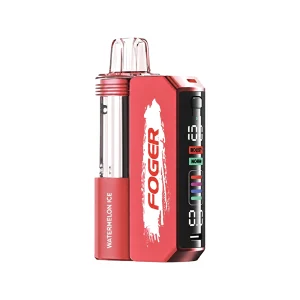
The FOGER Switch Pro 30K series has a dedicated gallery containing 28 design reference images. This guide explains how to browse the collection, identify the model page and check product information before ordering.
Explore the Switch Pro 30K Gallery
Visit the FOGER Switch Pro 30K design gallery to compare the supplied images, visible colors and artwork in one place.
Images are visual references. They do not independently confirm technical specifications, package contents or compatibility. Check the actual product information whenever these details matter to your purchase.
How to Identify the Model
Use the complete model name displayed on the page and compare it with the product information for the item you intend to purchase. Do not rely on color alone to identify a model or version.
What to Check Before Ordering
- Confirm the product page identifies the intended model.
- Select your preferred design in the product interface.
- Check the selected design again in the cart.
- Review the displayed price, quantity and checkout summary.
- Confirm package contents and compatibility using product information, not images alone.
Where to Find Product Details
After browsing the gallery, visit the Switch Pro 30K product page or browse the FOGERVAPE shop.
Frequently Asked Questions
How many design references are shown?
The current series gallery contains 28 reference images.
Do the images confirm product specifications?
No. Specifications and package details should be confirmed separately.
Where can I check my selected design?
Confirm your choice on the product page and check that the same design appears in your cart.
EXPLORE THE COLLECTIONExplore FOGER Models