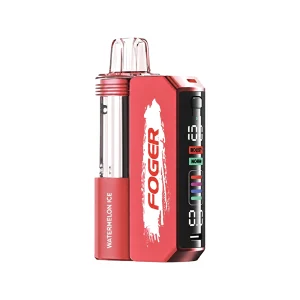
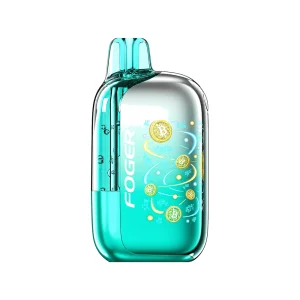
Why is my FOGER vape blinking? A flashing light, battery symbol or changing screen display can have different meanings depending on the model and operating state. FOGER Switch Pro 30K and Bit 35K use different battery arrangements, so an indicator should not be interpreted without identifying the exact device.
This guide separates information published by FOGER’s manufacturer from commonly reported interpretations that have not been confirmed by an official error-code chart.
First: Identify Your FOGER Model
The Switch Pro 30K is a modular system with a rechargeable pod and magnetic charging dock. The manufacturer describes a smart screen that displays battery and puff information.
The Bit 35K is a separate all-in-one device with a built-in rechargeable battery and USB-C charging connection.
Start by checking which model you have:
Why Is My FOGER Vape Blinking Green?
Some independent retailers and reviewers associate green flashing symbols with charging or battery status, but their interpretations differ between models. We could not confirm a universal green-light code in the manufacturer’s public product specifications.
If a green symbol appears while charging, compare the displayed battery information with the instructions supplied for your exact device. Do not assume a particular color means charging is complete, that a battery is defective or that a pod needs replacing.
What Does a Flashing 188 Mean on a FOGER?
Third-party troubleshooting articles offer different explanations for a flashing “188” display, including pod connection issues and a depleted pod. We have not found an official manufacturer error-code chart establishing one universal interpretation.
For a Switch Pro device, identify the compatible pod and dock, check for visible damage and consult the supplied instructions. If the display persists or the device behaves abnormally, seek manufacturer support rather than attempting internal electrical repairs.
FOGER Blinking but Not Working: Basic Checks
- Identify the model. Determine whether the device is a Switch Pro or Bit 35K.
- Review the battery information. Consult the device’s display and manufacturer instructions for the applicable charging method.
- Check visible connections. On Switch Pro, check whether the compatible pod and dock are correctly seated and whether external contacts are visibly dirty or damaged. Do not dismantle the device.
- Inspect for safety problems. Stop using or charging the device if it is leaking, swollen, unusually hot or visibly damaged.
- Contact support if unresolved. Provide the exact model, packaging details and a description of the displayed symbol.
For model-specific battery arrangements, read our FOGER Battery & Charging Guide.
When Should You Stop Using the Device?
Stop using or charging a device that becomes excessively hot, swells, leaks near electrical components, produces an unusual burning smell or has visible battery damage. Do not puncture the battery, bridge electrical contacts or try to bypass protection circuits.
Keep the device away from children and pets and follow local battery-disposal requirements.
Frequently Asked Questions
Does a blinking green FOGER always mean low battery?
No universal meaning was confirmed in the manufacturer’s published specifications. Check the model and the instructions that came with the device.
Does a blinking 188 always mean the pod is empty?
We could not verify that claim through an official manufacturer error-code chart. Different third-party guides give different explanations.
Can I use a Bit 35K charger or accessory as a Switch Pro dock?
Do not assume the charging hardware is interchangeable. The devices have different charging arrangements. Use compatible components and follow the manufacturer instructions.
What should I do if the device keeps flashing?
If the flashing persists or its meaning is unclear, stop troubleshooting beyond safe external checks and contact the manufacturer or seller with the model and display details.
Related FOGER Guides
Read How to Use FOGER Vape, the Pod Compatibility Guide and our Device Care & Storage Guide for further information.
Manufacturer References
- FOGER Switch Pro product specifications
- FOGER Switch Pro Pod specifications
- FOGER manufacturer website and contact information
Reviewed October 27, 2026. The manufacturer sources describe device features but do not provide a verified universal flashing-light code chart. Nicotine is addictive. This guide does not replace device-specific instructions.
EXPLORE FOGER
Explore Related FOGER Products
Explore the FOGER models discussed in this guide. Review the product page for current options and details.